
Google Play Impersonation Policy: What It Actually Prohibits, and Why Legitimate Apps Get Caught (2026)
 Grace WhitmorePublished on September 8, 2026 · in Guides
Google Play Impersonation Policy: What It Actually Prohibits, and Why Legitimate Apps Get Caught (2026)
Impersonation is one of the shortest policies in the Google Play Developer Program, and one of the most frequently misread. Developers assume it targets obvious fakes — a counterfeit banking app, a clone wearing someone else's logo. In practice a large share of impersonation enforcement lands on apps that were never trying to pretend to be anyone: companion apps, unofficial clients, tools named after the platform they integrate with, and apps whose icon happens to resemble a well-known one.
Understanding what the policy actually measures is the difference between a fixable listing problem and a developer account you cannot get back.
What the policy prohibits
The impersonation policy governs whether your app's identity misleads a user about who published it or who it is affiliated with. It covers the app's name, icon, developer name, screenshots, description, and the in-app experience — not only the code.
Three distinct things fall under it:
Claiming to be someone else. Presenting your app as another company's official app, or your developer account as another entity.
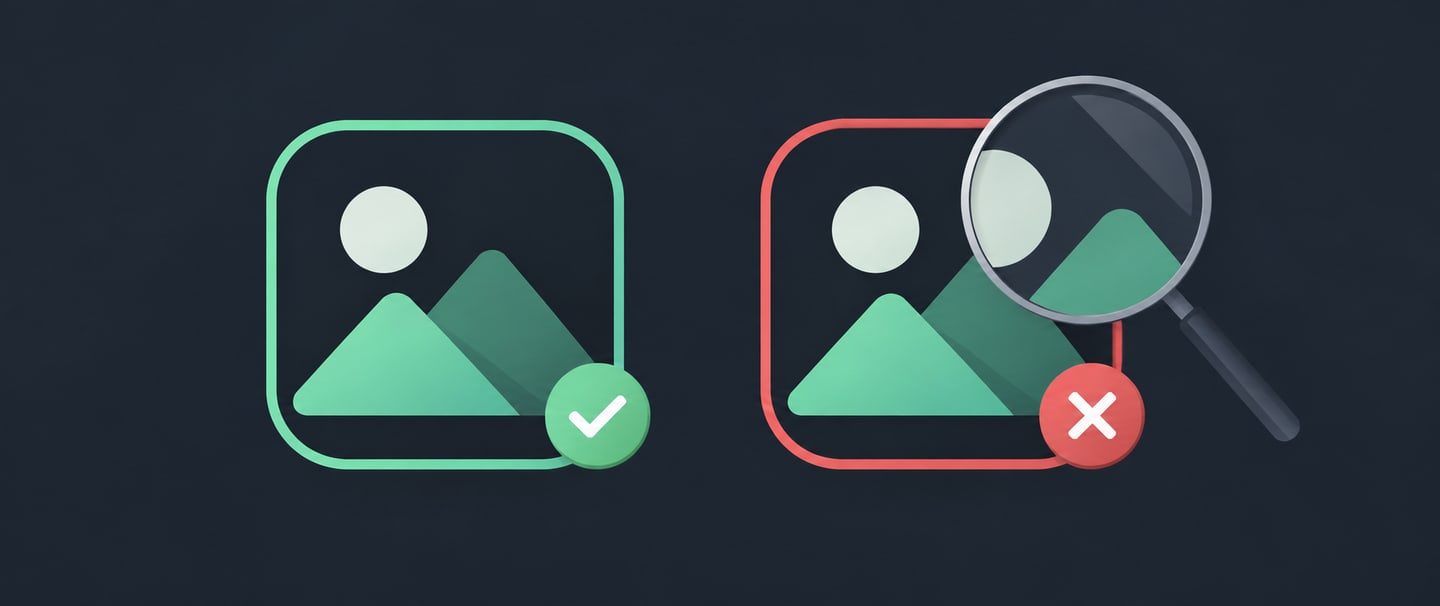
Implying an affiliation or endorsement you do not have. This is the trap. You never say "official". You use the brand's name, its colour scheme, and its logo shape, and a reasonable user concludes there is a relationship. Under the policy, the user's reasonable conclusion is what matters, not your disclaimer in paragraph four of the description.
Misleading users about the app's origin or purpose — including fake developer identities and listings that misrepresent who is behind the app.
Note what is not in scope: pure copyright or trademark infringement is handled through a separate intellectual property process, initiated by the rights holder. Impersonation is enforced by Google directly, without anyone needing to complain. This distinction matters, because the two have different appeal routes and different outcomes.
Why legitimate apps get flagged
Most impersonation enforcement we see on well-intentioned apps traces back to five patterns:
1. Brand names in the app title. "Downloader for [Platform]", "[Brand] Client", "Free [Brand] Tools". Even when the integration is real and permitted by that platform's API terms, leading with someone else's brand in your title is the highest-risk naming choice on the store.
2. Icon similarity. Icons are compared visually, and by systems, not by intent. A generic blue chat bubble or a green phone handset sits closer to a famous icon than most designers realise.
3. Developer name mismatch. A developer account named after a brand it does not own, or a developer name that differs from every other signal in the listing, reads as identity misrepresentation.
4. Unofficial clients and companion apps. A third-party client for a service is not automatically prohibited, but it must be unmistakably third-party at every touchpoint — name, icon, first screenshot, and description opener.
5. Screenshots that borrow another product's UI. Screens showing a well-known app's interface — even as "supported platform" illustration — pull the listing toward implied affiliation.
Two of these (title and icon) account for the majority of avoidable cases, and both are decided in the first second a reviewer or a classifier looks at your listing.
If your app was rejected or removed for impersonation
Work in this order. The most common mistake is appealing before understanding which of the three sub-claims was made.
Read the enforcement notice for the specific clause. "Impersonation" notices differ in whether they cite claiming to be another entity, implying affiliation, or misleading origin. The fix for each is different.
Do not immediately resubmit an edited build. A rejection that you resubmit without addressing the identity signal is very likely to be rejected again, and repeat violations on the same clause escalate — from listing removal, to app removal, to account-level action.
Change the identity signals, not just the description. Adding "not affiliated with X" to the bottom of your description does not fix a title and icon that say otherwise. Reviewers weigh the prominent signals.
Rename before you appeal if the title carries a brand. The strongest appeal is one where the flagged signal no longer exists.
Appeal once, with specifics. State what changed, where, and why the app's identity is now unambiguous. Attach nothing that argues about whether the original was really that bad.
If your app was rejected for a different reason, Google Play App Rejected: How to Read the Reason, Fix It, and Resubmit covers the general triage path, and App Removed from Google Play covers post-removal recovery.
A pre-submission identity checklist
Run this before every new listing and every rename:
- Title: contains no third-party brand as the leading term. If the brand must appear, it appears after your own product name and in a descriptive position ("MyTool — file manager for X"), subject to that platform's own brand guidelines.
- Icon: does not share silhouette, dominant colour, and glyph with a well-known app. Change at least two of the three.
- Developer name: matches the entity that actually publishes the app, and matches your other public presence.
- First screenshot: shows your UI, not another product's.
- Description opener: first sentence makes third-party status explicit if you integrate with a platform you do not own.
- In-app: splash screen and app bar carry your identity, not the platform's.
The checklist is short because the enforcement is blunt. The signals reviewers weigh most heavily are also the cheapest ones to change before you submit.
FAQ
Does using a brand name in my app description violate the impersonation policy?
Descriptive, accurate reference to a platform you integrate with is generally acceptable; leading your title with that brand, or implying an official relationship, is not. The line is whether a reasonable user would conclude you are affiliated.
Is an unofficial third-party client for a service allowed on Google Play?
It can be, provided the listing is unmistakably third-party in name, icon, and description, and the integration complies with that service's own API and brand terms. The impersonation risk comes from ambiguity, not from being unofficial.
What is the difference between impersonation and intellectual property enforcement?
Impersonation is about misleading identity and is enforced by Google directly. IP enforcement is about copyright or trademark rights and is normally initiated by a complaint from the rights holder. They have different notices, different appeal routes, and can both apply to the same listing.
Can an impersonation strike get my developer account terminated?
Repeated or egregious violations can escalate to account-level action. A single first-time listing issue that you correct properly is usually recoverable — which is why the resubmit-without-fixing reflex is the expensive one.
The short version
The impersonation policy is not asking whether you intended to deceive; it is asking what a user would reasonably conclude from your title, icon, and developer name. Most enforcement against legitimate apps comes from a brand-led title or a lookalike icon — both decided in the first second, both cheap to change before submission and expensive to argue about afterwards.