
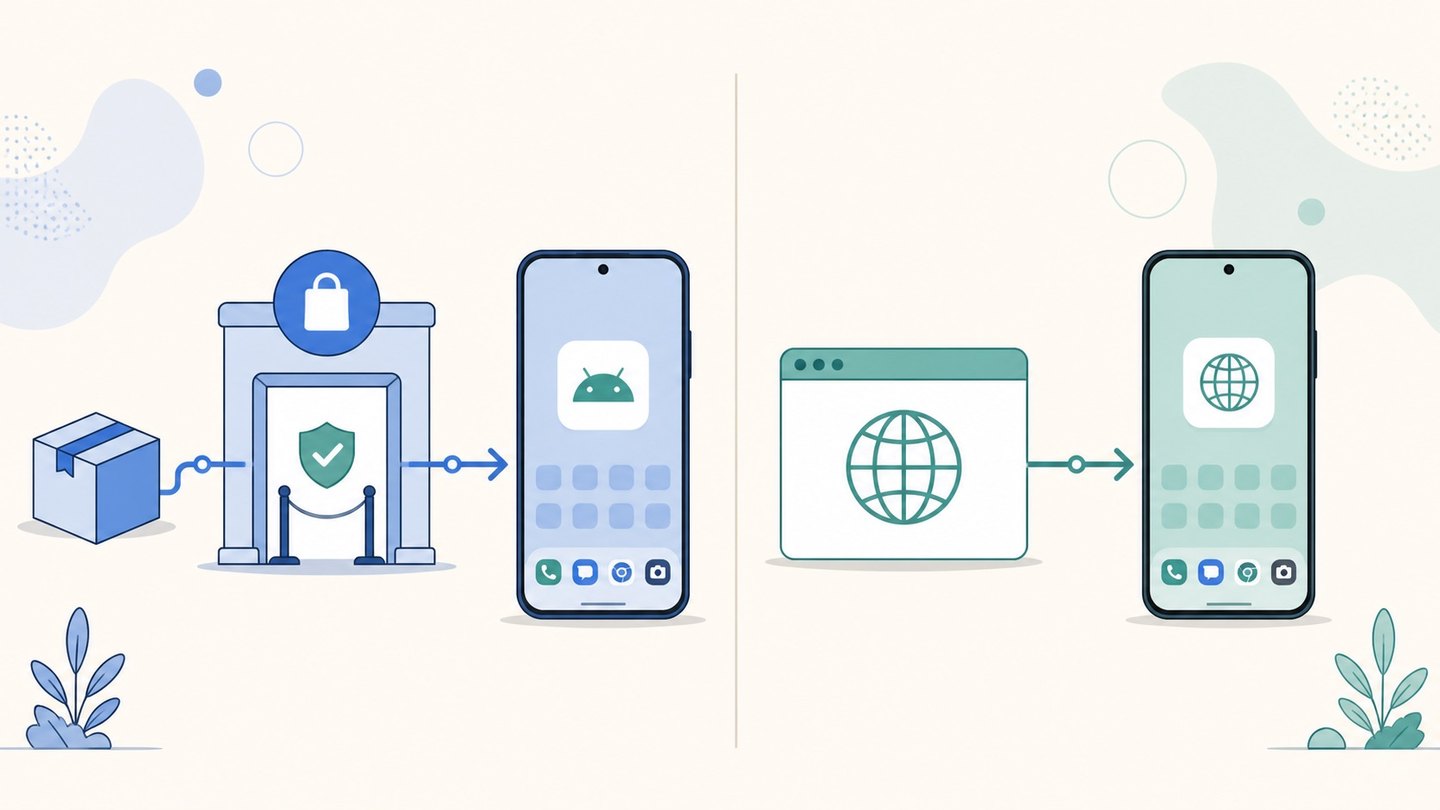
PWA vs APK: How Android App Distribution Actually Differs in 2026
 Grace WhitmorePublished on August 7, 2026 · in PWA Insights
PWA vs APK: How Android App Distribution Actually Differs in 2026
Teams building for Android eventually hit a delivery question that has nothing to do with what the product does: should users receive an APK, or install a PWA?
The two are often discussed as if they were competing technologies. They are not really comparable in that way — an APK is a package format, a PWA is a web application that a browser can install. What actually differs is everything around delivery: how the app reaches the device, how it updates, what it can access once installed, and how much of that path you can measure.
This guide compares PWA vs APK on those practical axes. If you are choosing between building a web app and building a native app in the first place, that is a separate decision covered in our PWA vs native app comparison — this article assumes the app exists and asks how it should be delivered.
PWA vs APK: what each one actually is
An APK (Android Package Kit) is the archive format Android uses to install an application. It bundles compiled code, resources, and a manifest, and it is signed by the developer. It reaches a device one of two ways: through the Google Play Store, or by direct download and installation — commonly called sideloading.
A PWA (Progressive Web App) is a website that meets a set of installability criteria: it is served over HTTPS, ships a web app manifest, and registers a service worker for caching and offline behaviour. When those conditions are met, Chrome on Android can offer to install it, and it then launches from the home screen in its own window without browser chrome. If you want the concept-level background first, see what a PWA is and where its value sits.
One detail worth knowing, because it dissolves a lot of confusion: on Android, installing a PWA from Chrome does not just create a bookmark. Chrome requests a WebAPK — a minimal APK shell generated and signed by Google's service — so the installed PWA gets a real package name, appears in the app drawer, and can be set as a handler for its own links. In other words, the end state of a PWA install on Android is itself an APK, just one you did not build or sign.
Getting onto the device: the install path
This is where the two diverge most, and it is usually the axis that decides the choice.
Play Store APK. The user taps through to a store listing, reads it, and installs. The install is trusted, the listing carries reviews and screenshots, and Play handles delivery and updates. The cost is upfront: a developer account, a compliant listing, and a review before each release goes live. Review latency is variable and outside your control.
Sideloaded APK. The user downloads a file directly and installs it. There is no store review, but the flow is long: the browser warns about the download, Android asks the user to grant "install unknown apps" permission for that browser, Play Protect scans the package and may show its own warning, and only then does installation proceed. Each of those screens is a real drop-off point, and the friction is highest for exactly the users who are least technical.
PWA install. The user visits a URL and the app is usable immediately — before any install decision is made. Installation is an optional upgrade: an install prompt or an "Add to Home Screen" action, confirmed in one dialog, with no unknown-sources permission and no package scan. The trade-off is that nothing forces the user to install; many will simply keep using it from the browser.
The practical summary: an APK gives you a heavier, more committed install; a PWA gives you a shorter path to first use and a lighter, more optional install.
Updates and version control
An APK update is a new package. On Play, users receive it through the store's update mechanism, which most have on automatic — but rollout is gradual and you cannot assume everyone is current. For sideloaded APKs there is no update channel at all unless you build one, which in practice means older versions stay in the field indefinitely.
A PWA updates like a website. The service worker checks for a new version, fetches it in the background, and the next launch runs the new code. There is no user action, no store, and no long tail of stale versions — which also means a bad deploy reaches everyone quickly, so staged rollout has to be handled at your own infrastructure layer.
Capabilities: what an APK still does that a PWA does not
The capability gap is much narrower in 2026 than the debate suggests, but it is not closed.
A modern PWA on Android handles offline caching, push notifications, background sync, camera and microphone access, geolocation, file access, and the Payment Request API. For most content, commerce, media, and utility products, that covers the requirement list.
Where a native APK still wins:
- Sustained background execution — long-running services, precise background location, work that must continue when the app is not open.
- Deep OS integration — telephony, SMS, contacts, accessibility services, custom keyboards, system-level share and intent handling beyond link capture.
- Low-level hardware and performance work — Bluetooth beyond Web Bluetooth's scope, NFC beyond basic tag reading, sensor sampling at high rates, heavy 3D or on-device inference where native toolchains still hold an advantage.
- Large offline payloads — bundling hundreds of megabytes of assets is straightforward in an APK and awkward under browser storage quotas.
If your feature list touches any of those, the comparison ends there — an APK is the answer.
There is a second, less obvious asymmetry: because an APK ships compiled artefacts to the device, it is subject to reverse engineering, and protecting it is a discipline of its own. If you go the APK route, see our guide to code obfuscation tooling. A PWA keeps its logic on the server side by default, which changes the threat model rather than eliminating it.
Measurement and attribution
For paid acquisition this axis is often underweighted.
A Play Store APK attributes installs through the Play Install Referrer API, usually via an MMP SDK. It works well, but it introduces a store hop between the ad click and the install, and the referrer is only available for Play-delivered installs.
A sideloaded APK loses that referrer entirely. Attribution has to be reconstructed — matching on the download event, fingerprinting, or a custom parameter baked into the download link — and accuracy degrades accordingly.
A PWA stays inside the web analytics stack from click to first session. The click, the landing page, the beforeinstallprompt event, the appinstalled event, and every subsequent session are all observable with the same tooling and the same identifiers. There is no SDK to integrate and no cross-surface identity join. For teams whose acquisition is paid-traffic driven, this continuity is frequently the deciding factor rather than a footnote.
Cost and time to ship
An APK requires an Android build pipeline, signing key management, a Play developer account, store assets, and release coordination. If you already have a native team, the marginal cost is low. If you do not, it is a new competency.
A PWA reuses the web codebase, deploys like a website, and has no store artefacts to maintain. The recurring cost is compatibility work — Android and iOS browsers do not expose the same capability set, and iOS remains the tighter of the two.
Choosing between PWA and APK
Use this as a first pass:
Choose an APK when the product needs background execution, deep OS integration, specialised hardware access, or large offline payloads; when Play Store presence and its trust signals are part of the acquisition strategy; or when you already ship native and the distribution question is settled by that.
Choose a PWA when the shortest possible click-to-usable path matters more than install depth; when release cadence is high and store review latency is a real constraint on iteration; when acquisition is driven by paid web traffic and end-to-end measurement continuity is valuable; or when the product's requirements sit comfortably inside current web capabilities.
Consider both when they serve different segments. Running a PWA as the entry surface for paid traffic while maintaining an APK for committed users is a common and coherent split — the PWA absorbs first-touch volume cheaply, and the APK serves the users who have already demonstrated intent.
What to verify before committing
Before you settle the decision, check these against your own product rather than against general advice:
- Walk your actual feature list against current web platform support — not the reputation of web capabilities, the current support tables.
- Instrument the existing funnel and measure the real drop-off between click and first usable session on whichever path you run today.
- Confirm what proportion of your audience is on Android versus iOS, since the capability gap is asymmetric.
- Establish who owns updates, rollback, and incident response for the chosen path — the answers differ substantially between a store release train and a continuous web deploy.
Frequently asked questions
Is a PWA the same as an APK?
No. An APK is Android's installable package format; a PWA is a web application that a browser can install. They overlap at one point: when Chrome on Android installs a PWA, it generates a WebAPK shell so the app registers properly with the system — but you neither build nor sign that package.
Can users install a PWA without the Play Store?
Yes. A PWA installs directly from the browser once it meets the installability criteria, without a store listing, a developer account, or the "install unknown apps" permission that sideloaded APKs require.
Do PWAs support push notifications like APK apps?
On Android, yes — the Web Push API is supported and works for installed PWAs. On iOS, web push is available for PWAs added to the home screen from iOS 16.4 onward. Behaviour and permission prompts differ from native, so treat delivery and opt-in rates as things to measure rather than assume.
Which gets better install conversion, a PWA or an APK?
It depends on the traffic and the offer, so treat any universal claim with suspicion. Structurally, the PWA path has fewer mandatory steps between click and first use, while a Play Store APK carries stronger trust signals at the moment of install. The only reliable answer comes from measuring both against the same audience.
Does a PWA work offline the way an installed APK does?
For cached content and application shell, yes — that is what the service worker is for. For large media libraries or datasets measured in hundreds of megabytes, an APK's bundled assets remain the more practical mechanism.
Summary
PWA vs APK is a distribution decision, not a technology contest. The APK route buys deep device capability, Play Store trust, and a committed install, at the cost of review latency, install friction, and a heavier build and release apparatus. The PWA route buys immediacy, continuous updates, and unbroken measurement from click to session, at the cost of a capability ceiling that still matters for background work and deep OS integration.
Map your own feature requirements and acquisition model against those two profiles, and the answer is usually obvious well before it becomes a debate.
ROIBest works on Android PWA distribution infrastructure for teams evaluating web-based delivery alongside conventional app packaging.