
PWA vs TWA: What's the Difference and When to Use Each (2026)
 Ethan ColePublished on August 14, 2026 · in PWA Insights
PWA vs TWA: What's the Difference and When to Use Each (2026)
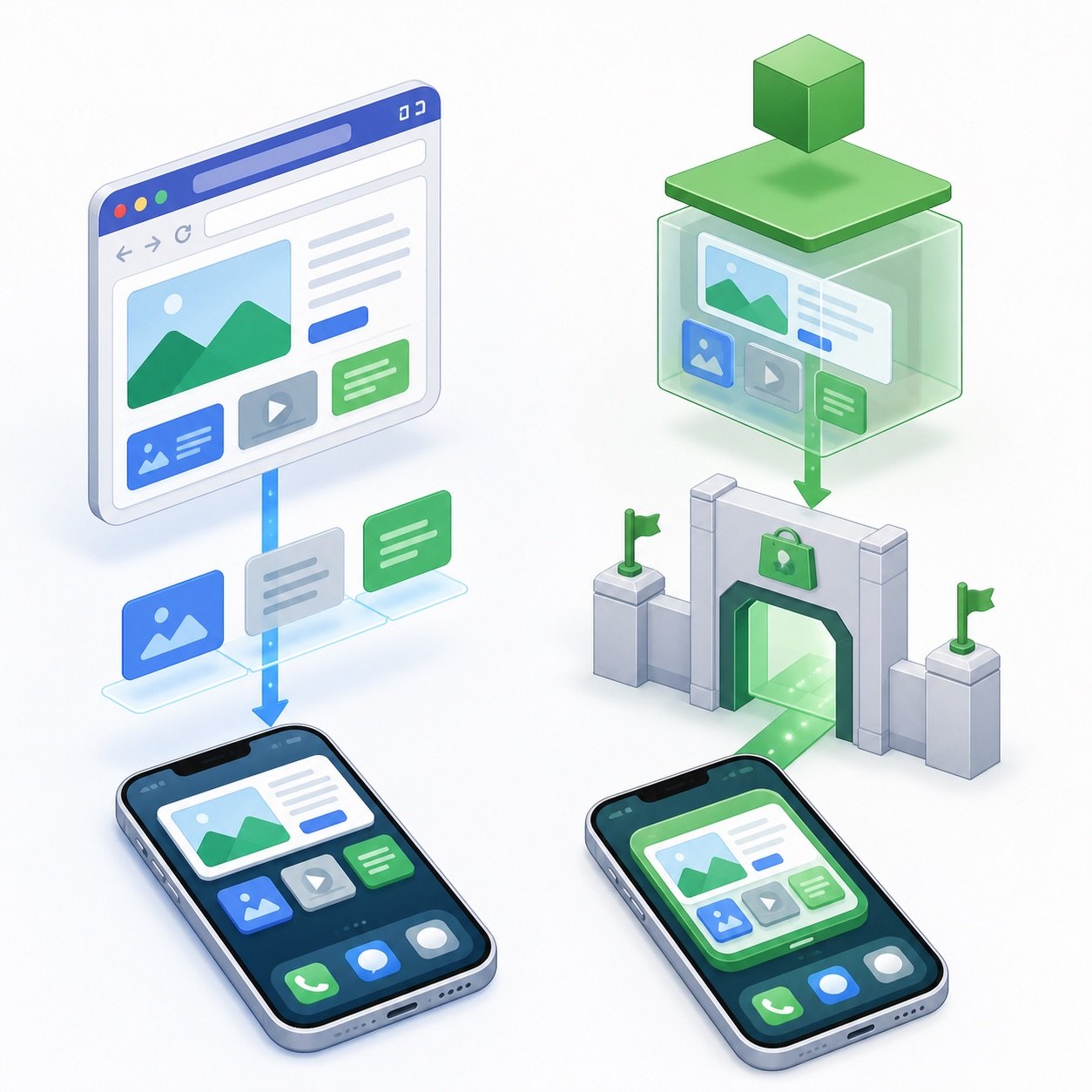
A PWA is a website with app capabilities — installable from the browser, no store involved. A TWA (Trusted Web Activity) is an Android wrapper that packages that same PWA into an app you ship through Google Play. Same web code either way; what changes is the distribution channel and what comes with it.
The two are routinely framed as competitors, which misses the actual relationship: a TWA contains a PWA. The real question is not which technology is better but which distribution path fits your product. This guide draws the line clearly.
What Is a PWA?
A progressive web app is a website with a manifest and service worker, letting browsers install it to the home screen, launch it standalone, and run parts of it offline. Users get it by visiting a URL — from an ad click, a search result, a shared link — and installing on the spot. No store listing, no review queue, no update approval. We have compared this model against the alternatives before, in PWA vs Native App and PWA vs APK.
What Is a TWA?
A Trusted Web Activity is an Android mechanism that renders your web app full-screen inside an installable Android package, using the device's Chrome engine — no browser UI, no visible address bar. "Trusted" refers to the verification step: a Digital Asset Links file on your domain proves you own both the website and the Android package, which is what allows the browser chrome to disappear.
The output is a genuine Android app you submit to Google Play. Inside it, the content is your live website — the same pages, updated server-side, no app-store release cycle for content changes.
The Differences That Matter
- Distribution. PWA: any URL — ads, search, links — converts directly into an install. TWA: users find and install it through Google Play like any Android app.
- Review and policy. PWA: no store review; you are subject to ad-platform and browser policies only. TWA: Play Store review and ongoing store policy compliance apply.
- Install friction. PWA: instant, but the user performs the add-to-home-screen action (with guidance UX on iOS especially). TWA: the familiar store Install button — higher trust for store-native audiences, but you first have to get them to the listing.
- Platform reach. PWA: every platform with a modern browser, iPhone included. TWA: Android only — iOS has no TWA equivalent, so an iPhone strategy still runs through the PWA itself.
- Updates. Both serve content from your servers, so content updates are instant in both. The TWA's thin native shell only changes when you push a new package through Play.
- Signals and measurement. A PWA session is a web session end to end. A TWA install is a store install with store-side stats, wrapped around web analytics inside.
When to Use Which
Choose the PWA path when speed of iteration and direct ad-to-install funnels are the point: paid traffic lands on the experience and installs in the same session, with no store gatekeeping between click and conversion.
Add a TWA when Google Play presence itself has value — organic store search, the credibility of a store listing, or audiences that only install "real apps" from the store.
Do both when resources allow: they share one codebase by design. Run the PWA for direct and paid acquisition, and let the TWA cover store-driven discovery on Android. The strategic calculus mirrors the store-vs-direct trade-off covered in PWA vs APK.
FAQ
Is a TWA just a PWA in disguise?
Functionally close: a TWA renders your PWA inside an Android package after domain verification. The wrapper adds store distribution; the experience inside is the same web app.
Can I ship a TWA without a working PWA?
Not meaningfully. TWA quality guidelines assume an installable, offline-capable web app underneath. Get the PWA right first; the TWA is a packaging step after that.
Does a TWA work on iPhone?
No. TWA is an Android mechanism. On iOS, users install the PWA itself through Safari's Add to Home Screen — which is why the PWA remains the foundation of any cross-platform plan.
Which converts better for paid traffic, PWA or TWA?
Structurally, the PWA path is shorter: ad click → landing → install, all in one session. A TWA inserts a store listing between click and install. For store-native audiences the listing adds trust; for direct-response funnels the extra hop is usually pure friction.